
Mission log
The Small Business Website Guide: What You Need, What It Costs and How to Keep It Working
A complete, plain-English guide to small business websites: what yours needs, the ways to get one, what it costs, and how to keep it working.

A website is the one place online that belongs to your business. Your social pages sit on someone else's property, and your listings follow someone else's rules. Your website says what you want, the way you want, to anyone who looks.
This guide covers the whole subject in one place: whether you need one, what a good one includes, the ways to get it built, what it costs, and what it takes to keep it working. Each section links to a longer article if you want the detail.
Do you still need a website?
Most of your competitors have decided they do. In 2025, the National Federation of Independent Business found that 82% of small businesses have their own website. A Clutch survey of 406 U.S. small business owners the same year found 83%, up from 64% in 2018.
Customers have come to expect it. In BrightLocal's 2026 survey of 1,002 U.S. adults, 54% said they visit a business's website after reading positive reviews, up from 32% in 2019. People hear about you somewhere else, then come to your site to decide.
The owners who go without one usually aren't held back by money. In the Clutch survey, only 16% of them named cost as the main reason. The most common answer, at 34%, was that a website didn't seem relevant to their industry.
Isn't a Facebook page enough?
A Facebook page is a sensible first step, and it's good at things a website isn't: staying in front of people who already know you, sharing today's job, and quick messages.
It falls short as your only presence, for five reasons:
- You don't own it. The page sits on Facebook's property and follows Facebook's rules.
- Most of your followers never see your posts. Facebook decides who sees each one.
- It rarely shows up in a search. When someone searches for a service, the results are websites and business profiles.
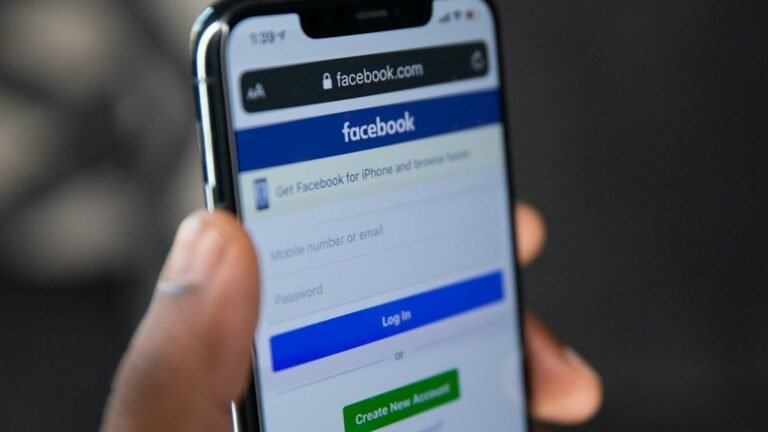
- Not everyone uses Facebook. Some customers hit a login prompt and move on.
- You can't lay it out your way. Your services and prices get buried under your newest post.
The two work best together. We go through each reason in why a Facebook page isn't enough for your business.
What a website has to do
Before any talk of design, be clear about the job. For a local business, a website has four:
- Say what you do and where, straight away. A visitor should know within a few seconds that they're in the right place.
- Make it easy to reach you. A phone number that starts a call when tapped, a short form, your hours and your service area.
- Earn trust. Real photos, examples of your work, reviews, and details that are up to date.
- Get found. Pages that are planned around the searches your customers make.
Everything else is in service of those four. A beautiful site that does none of them is a brochure in a locked drawer.
What every small business website needs
These are the parts that separate a working site from a pretty one.
A design made for your business. Not a template with your logo dropped in. Your colors, your photos and your voice, so the site looks like the business a customer will meet.
A layout built for phones first. Most local searches happen on a phone. If visitors have to pinch and zoom, or the buttons are too small to tap, they leave.
Speed. People are impatient online. Oversized photos and cheap hosting are the usual causes of a slow site, and both are fixable.
Security. The address should start with https://. Without it, browsers flag the site as not secure, and visitors hesitate before filling in a form.
The basic search setup. A clear page title and description on every page, headings that say what the page is about, and the details search engines use to understand a local business.
Forms that reach you. A contact or quote form is only useful if the message arrives, and if spam doesn't bury the real ones.
Somewhere to live. Hosting is the server your site sits on. Good hosting keeps a site fast and available.
The pages most businesses need
You don't need dozens of pages. You need the right ones.
- Home. What you do, where you do it, and what to do next.
- A page for each main service. One page that lists ten services in bullet points loses to a competitor with a full page about each. This is also how you show up for more than your business name.
- About. Who is behind the business, and why a customer should trust you.
- Contact. Phone, form, hours and service area.
- Proof. Examples of your work, reviews, or both.
A blog is optional at the start. It earns its place later, when you want to answer the questions your customers keep asking.
Your domain name
Your domain name is your address on the internet, and it's worth a few minutes of care.
- Keep it short and easy to say. If you have to spell it out over the phone, it's too complicated.
- Match your business name where you can. Customers will guess it before they search for it.
- Register it in your own name. The domain should belong to the business, not to whoever built the site. If a designer registers it for you, make sure the account is yours.
- Keep it renewed. A lapsed domain takes the website and the email down with it.
Ownership is the one that causes real trouble. Businesses have lost their address because a former designer or employee held the account. Find out today who holds yours.
What to have ready before you start
A website project moves at the speed of its content. These are the things that hold most projects up, so gather them first.
- Your logo, as the best file you have. A vector file (SVG or EPS) is ideal.
- Photos of your real work, your team, your vehicles or your premises. Real photos beat stock photos almost every time.
- A list of your services, in the words your customers use, not the trade's.
- Your service area, hours, phone number and address, exactly as they appear on your other listings.
- Three or four competitors' sites you like or dislike, and a sentence on why.
- Access to your domain name, if you already own one.
You don't need polished text. A few plain notes on each service are enough for a designer to work from.
Three ways to get a website
Build it yourself with a website builder. You pick a template, add your text and photos, and publish. It's low in cost and high in time. In the Clutch survey, do-it-yourself builders power 41% of small business websites.
Hire a freelancer or small agency. You get a design built around your business and someone to call when something breaks. This is the most common route: in the Clutch survey, 45% of small business websites were built by an outside partner.
Hire a large agency. Research, strategy and a full team. It suits a company with complex needs, and it's more than most local businesses need.
A builder is probably right if you're just starting out, money is tight, and you need a simple page with your hours and contact details. A custom site is probably right if the website is a main source of customers, or you want it to be. Many businesses start on a builder and move up once the business can support it, and there's nothing wrong with that path.
We compare the two in detail in website builder or custom site: which is right for your business.
What it costs
The honest answer is that it depends on who builds it, how many pages it has, and how much of the work you do yourself. National figures give a sense of scale.
Forbes Advisor's 2026 guide puts a do-it-yourself build at $0 to $450 and professional website design at $1,500 and up. In Clutch's web design pricing guide, drawn from verified client reviews, most web design projects cost less than $10,000.
After launch, a few smaller bills keep the site running: the domain name, the hosting, and the upkeep. Ask about all three before you sign anything. A cheap build with an expensive monthly bill isn't cheap.
The things that move a price most are the number of pages, who supplies the text and photos, and special features such as booking or an online store. We break all of it down in how much a small business website costs.
Signs your current site is costing you customers
A website rarely fails all at once. It gets a little slower and a little more out of date until the calls slow down and nobody is sure why. The common signs:
- It takes more than a few seconds to load on a phone.
- It's hard to use on a phone.
- Your contact details are hard to find.
- The information is out of date.
- It doesn't say what you do in the first few seconds.
- You can't find it when you search for your own service and town.
- The browser says "Not secure."
One or two of these can usually be fixed. Four or more usually means a rebuild costs less than patching. You can check all seven in about ten minutes with 7 signs your website is costing you customers.
Mistakes that cost small businesses customers
Most weak websites fail in the same few ways. They're easy to avoid once you know them.
- Leading with a slogan. "Quality you can trust" tells a visitor nothing. "Air conditioning repair in Lake Havasu City" tells them they're in the right place.
- Hiding the phone number. It belongs at the top of every page.
- Writing for yourself. Customers search for their problem, not your job title. Use their words.
- Cramming everything onto one page. Each main service deserves its own.
- Using only stock photos. People want to see who is going to turn up.
- Launching and forgetting. Old prices and old hours tell a visitor nobody is minding the store.
- Designing on a big screen only. Check every page on your own phone before it goes live.
Rebuilding without losing what you've earned
An older site has usually earned something worth protecting: pages that already show up in search, and links from other sites. A careless rebuild can throw that away.
A careful one keeps it. Every old page address is pointed to its new one, the content that was working is moved across and tidied up, and the results are checked after launch. Ask anyone who quotes you a rebuild how they handle those three things.
Keeping it working after launch
A website isn't finished the day it launches. It runs on software, and software needs looking after, much like a work truck needs oil changes.
Maintenance means software updates, backups, security monitoring and uptime checks. Skipping it feels fine at first. Then the site gets hacked through an out-of-date add-on, or something breaks, or it fails with no recent backup and has to be rebuilt.
Whoever looks after your site should back up before every update, check the site afterward, and keep a copy somewhere other than the website's own server. The full list is in what website maintenance covers, and what happens if you skip it.
How a website project runs
A well-run project follows the same steps whatever the size of the site.
- Discover. A conversation about your business, your goals and your customers.
- Plan. A sitemap, a content plan, and a written proposal.
- Design. The look, built around your brand and reviewed with you.
- Build. Every page built and tested on phones, tablets and desktops.
- Launch. Search setup, final checks, and go-live.
The biggest factor in how long it takes is usually how quickly the text and photos are ready. Decide early who is supplying them.
At AstroTECH, the first step is a free call. You then get a written proposal with the scope, the total and a timeline before any work begins, and there are check-ins at every stage. Hosting for the first year comes with the build.
Questions to ask before you hire anyone
- How many pages are included?
- Who supplies the text and the photos?
- Will it be designed for my business, or built from a template?
- How will it be tested on phones?
- Is hosting included, and for how long?
- What will I pay every month or year after launch?
- Will I own the site and the domain name?
- Who do I call when something breaks?
The right answer to each one is a clear answer. If you can't get one, keep looking.
The short version
Most small businesses have a website, and customers check it before they call. A good one says what you do, makes it easy to reach you, earns trust and gets found. You can build it yourself for little money and a lot of time, or have it built properly for a project fee. Either way, it needs looking after once it's live.
Free SEO report
Ready for liftoff? Start with a free SEO report.
Send us your website and get a plain-English report on speed, SEO and mobile issues within 2 business days. No obligation.